CG FC200 Read Write VW EDC17C54 ECU Guide
How to: read and write VAG Caddy Bosch EDC17C54 ECU, modify VIN and get CS & pin code from ECU using CG FC200 ecu programmer.
The CG FC200 is highlighted as a reliable solution for VAG Bosch EDC17C54 ECU. A key advantage of using the FC200 for this model is that it allows for a bench-top reading, meaning the ECU does not need to be opened for direct microcontroller access — a significant time-saver and risk reducer.
Step 1: Software Setup and Wiring Diagram
Before connecting any hardware, we must configure the FC200 software.
Open the FC200 software.
Navigate to the manufacturer section and select Volkswagen.
Use the search function and input the ECU code: EDC17 C54.
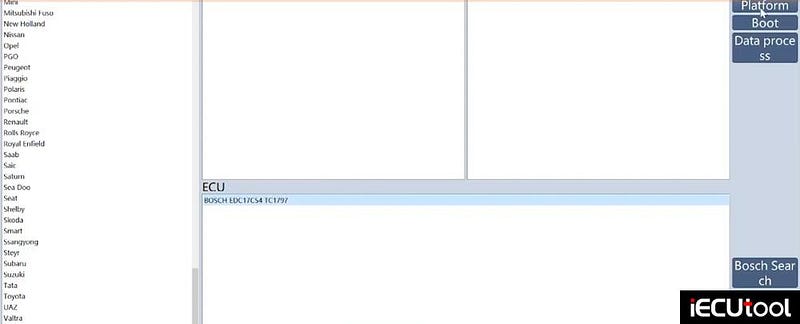
Select the correct ECU from the results and proceed to the platform.
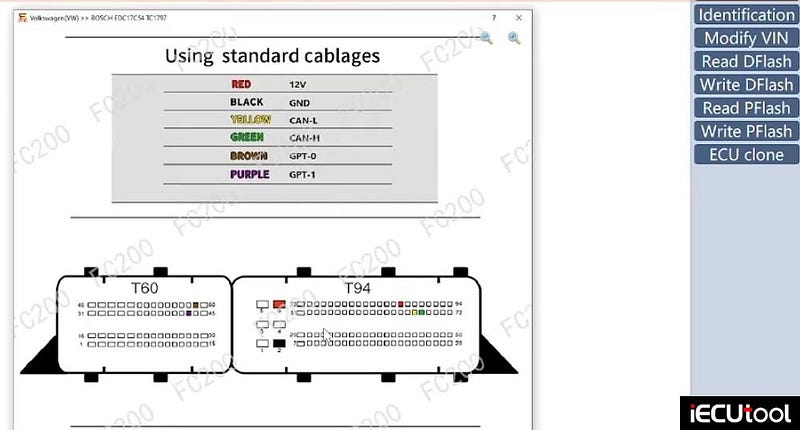
To understand the wiring, click on the "Wiring Diagram" button. This will display a pinout schematic showing exactly how to connect the ECU to the FC200 harness.
Step 2: Connect ECU with FC200
The wiring diagram will specify the use of both ECU connectors. For this specific ECU, the connections are as follows:
Left Connector (T60–60 pins):
Brown and Purple wires: These are connected to specific pins for communication (GPT0 and GPT1).
Right Connector:
Two Red wires and one Black wire: These provide power to the ECU.
One Green and one Yellow wire: These are for the CAN High and CAN Low communication lines.
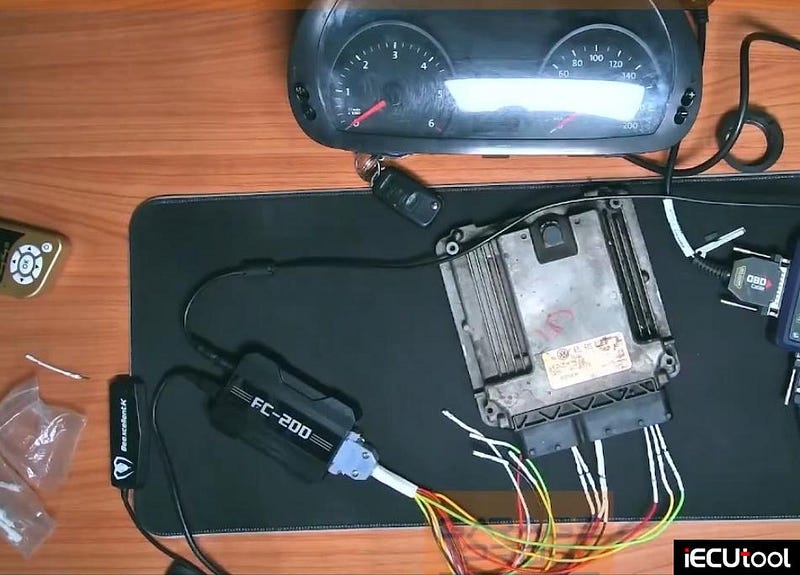
The wiring process involves using the correct pin terminals for the ECU connectors. The final harness should have all wires in their designated positions as per the diagram.
Step 3: Power Supply and ECU Identification
With the harness built, it’s connected to the ECU and the FC200 main unit.
A crucial detail is the power supply. While many programming setups can handle higher voltages (up to 13.2V or more), for this specific read with the FC200, it is highly recommended to use a stable 12V power supply. Using a voltage that is too low may cause the read to fail, while a voltage that is too high can potentially interfere with the reading process, even though the ECU itself can handle higher voltages.
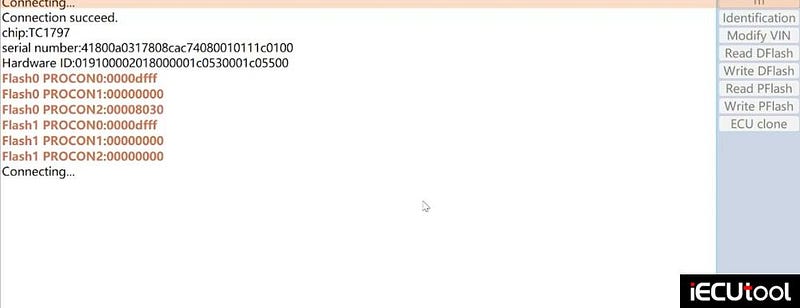
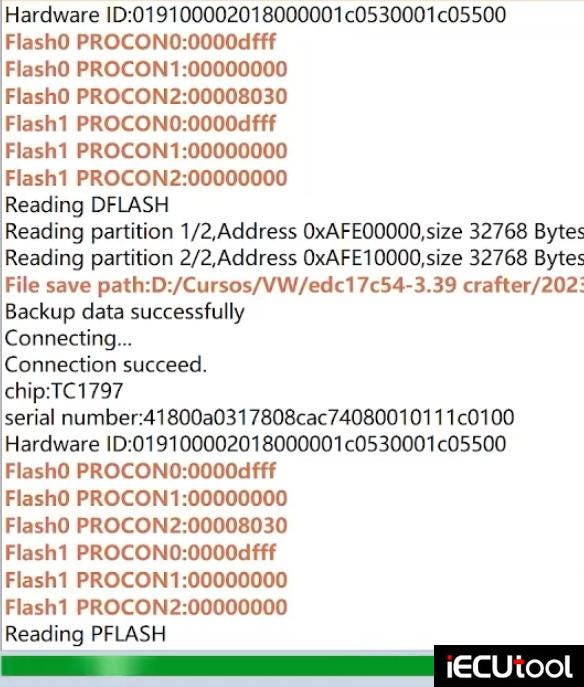
Once the power is confirmed, return to the software and click the "Identification" button. A successful identification will confirm the connections are correct and display the ECU’s information, such as the microcontroller type (in this case, a Tricore 1797).
Step 4: Reading the ECU Data
With the connection verified, the next step is to read the data from the ECU. Two main memory regions must be read:
- Read D-Flash (Data Flash): This memory contains vehicle-specific data. The reading process is relatively quick.
- Read P-Flash (Program Flash): This is the ECU’s operating software. This read will take considerably longer than the D-Flash.
Both files are essential. The software will prompt you to save each file. It is best practice to create a dedicated folder for the vehicle (e.g., "VW Crafter EDC17 C51") and save both the D-Flash and P-Flash files inside.

Step 5: Modifying the VIN (Optional)
The FC200 also allows for writing data back to the ECU. In this scenario, the goal is to modify the vehicle’s VIN or VIN number stored in the ECU. The process is as follows:
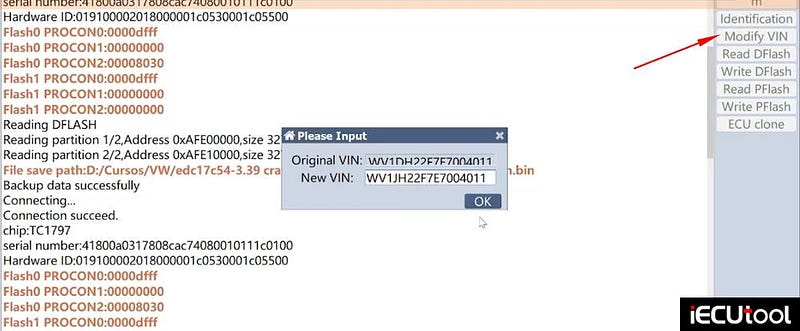
Select the "Modify VIN" function.
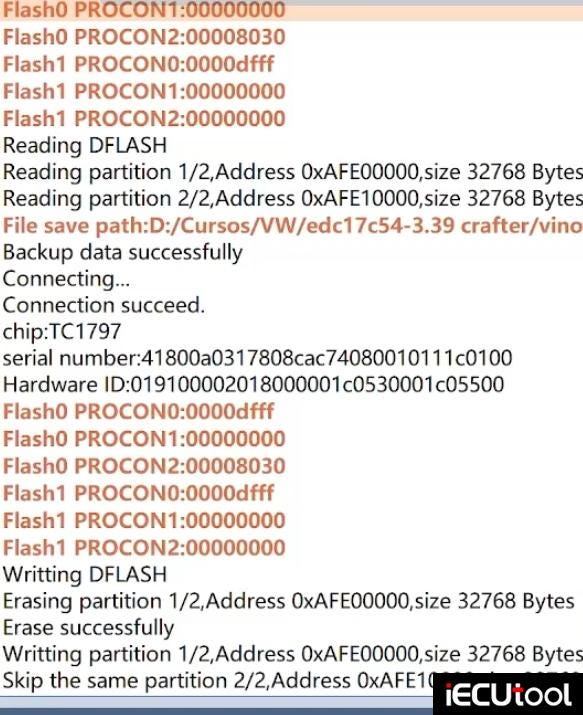
The tool will read and create a backup of the original VIN file. It’s crucial to save this original file in a secure location.
The software will then prompt you for the new VIN number (provided by the client or from a separate source).
Once entered, the tool will write the new VIN number to the ECU. A progress bar will indicate the writing process.
Step 6: Extracting PIN Code and Security Bits (CS)
With both the D-Flash and P-Flash files saved — especially the ones containing the new data — we can now extract the necessary security information for the next stage of the adaptation process.
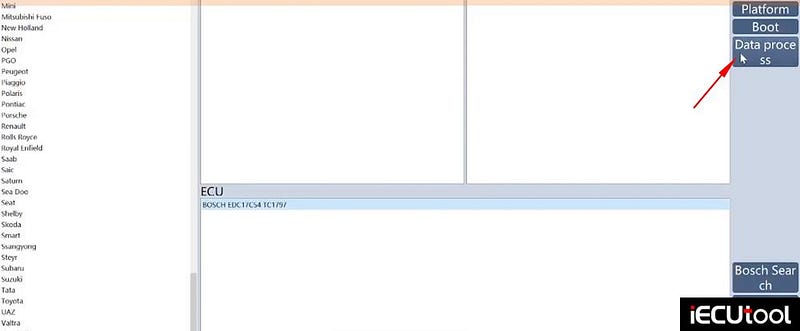
In the FC200 software, navigate to the "Data Process" section.
Choose the option for "Anti-theft Data Process" (for Audi, Seat, Skoda, Volkswagen).
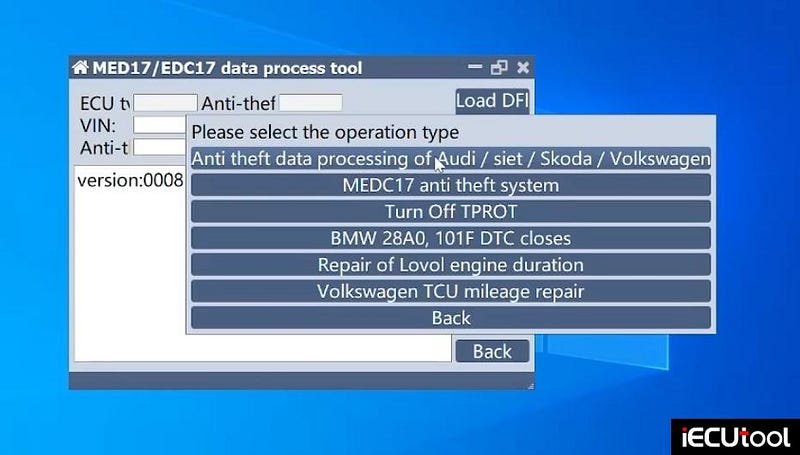
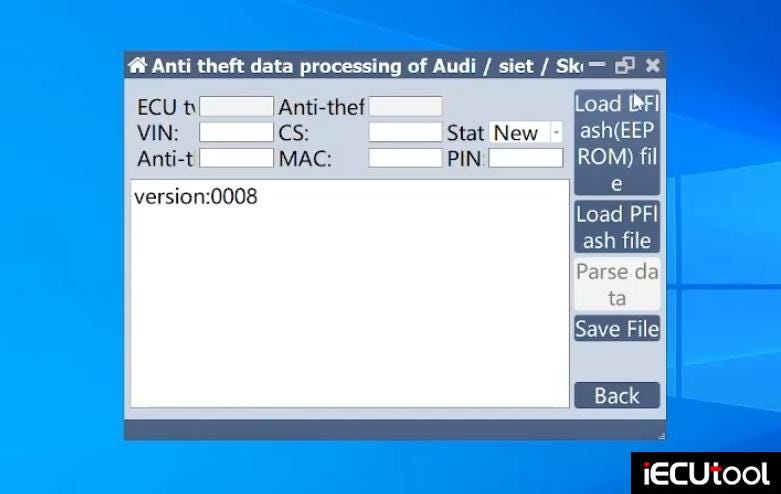
Load the D-Flash file you just read.
Load the corresponding P-Flash file.
After a moment, the software will process the files. Click on the option to view "Parse Data" .
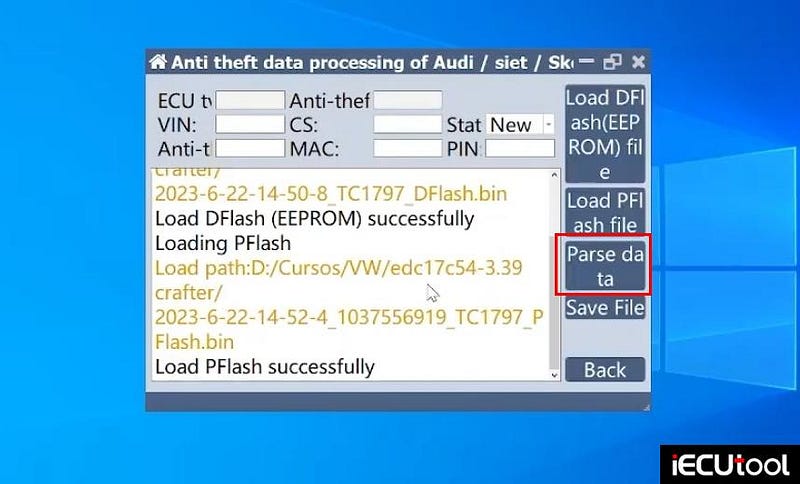
This will display a wealth of information, including:
PIN Code: The security code required for immobilizer adaptation.
Security Bits: Critical for component protection.
MAC Address: Another unique identifier for the module.
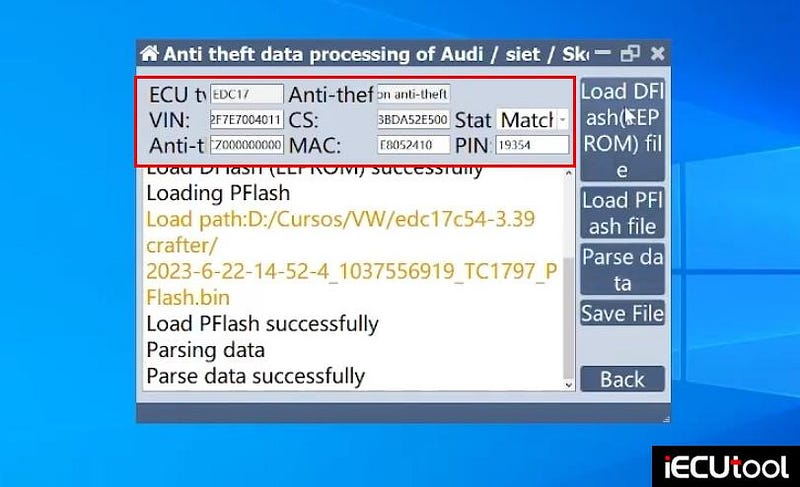
It is recommended to take a clear photo or screenshot of this information for use in the subsequent adaptation steps.
With the PIN code and security bits obtained, the next stage is to use this information to adapt the new or existing modules to the vehicle’s immobilizer system.


Comments
Post a Comment