OBDSTAR DC706 Boot Mode Solution for GPEC2 ECM
How to read and clone the GPEC2 module? This module is used in Jeep, Chrysler, Dodge, and other American CDI vehicles.
We will perform the process using the OBDStart DC706 ecu tool along with its MP001 adapter cable.

Step-by-Step Process:
Connection Setup
First, we connect to the vehicle via
OBD. Then, we navigate through the tool’s menu to find the GPEC2 module. This
module is used across multiple brands: Chrysler, Dodge, and Jeep. In our case,
we are working on a Jeep with a PC56 / 66 Plus 95 320 system.
Adapter Configuration
Depending on your setup, you may use:
- A PC adapter with two wires (CAN High and CAN Low).
- An adapter with a GPTAN connector.
In all cases, you can read modules such as BDL03 Plus or BDL03, but you must
add a 120-ohm resistor between CAN High and CAN Low for proper
communication.
Alternatively, you can use BDL01, which already has the
resistor built in.
Starting the Process
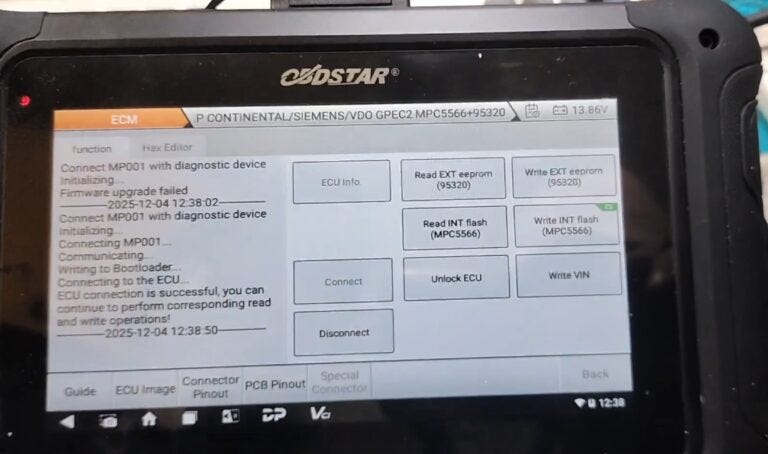
We begin by selecting the correct
connection type in the tool menu.
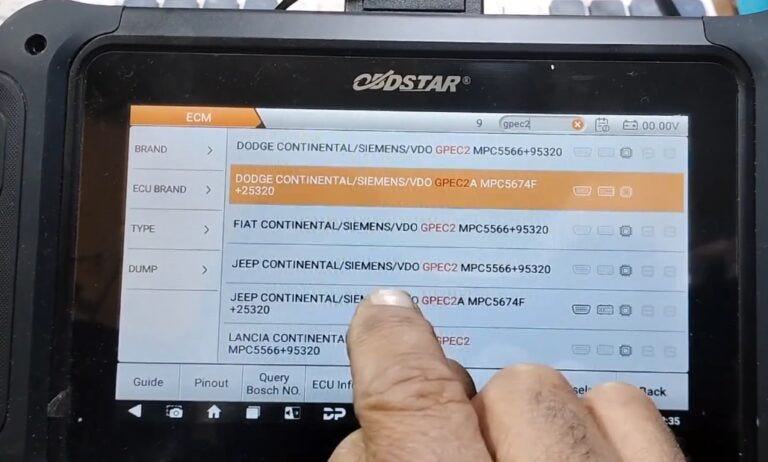
Choose:
Start Selection By Boot
Adapter MP001
It’s important to note: this programmer works online, unlike some others that work offline. Once connected, the device will initialize and prompt you to proceed.
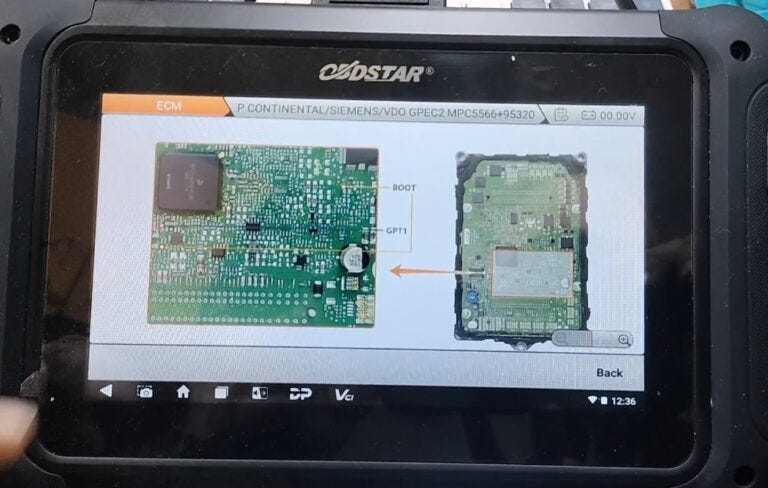
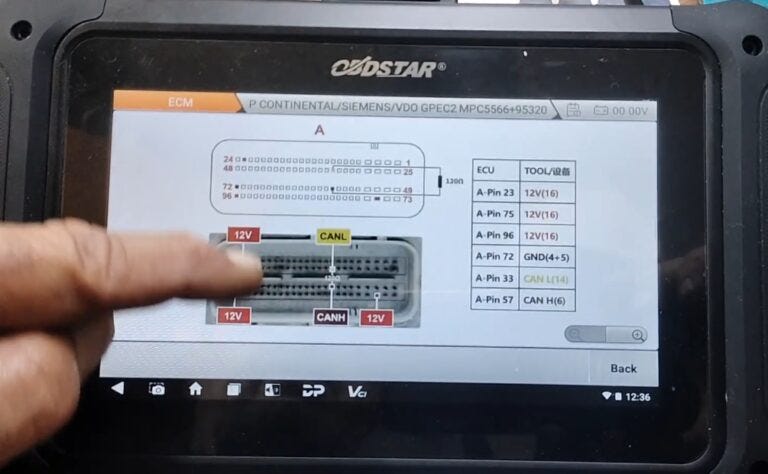
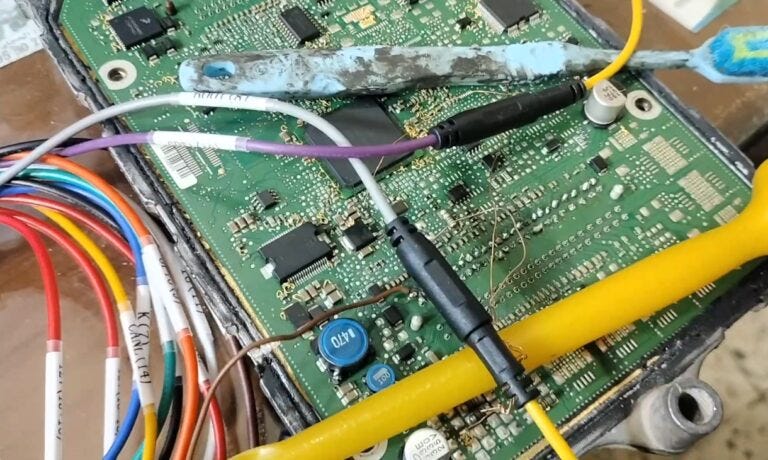
Reading the Module
You have the option to read:
- External PROM
- Internal Flash
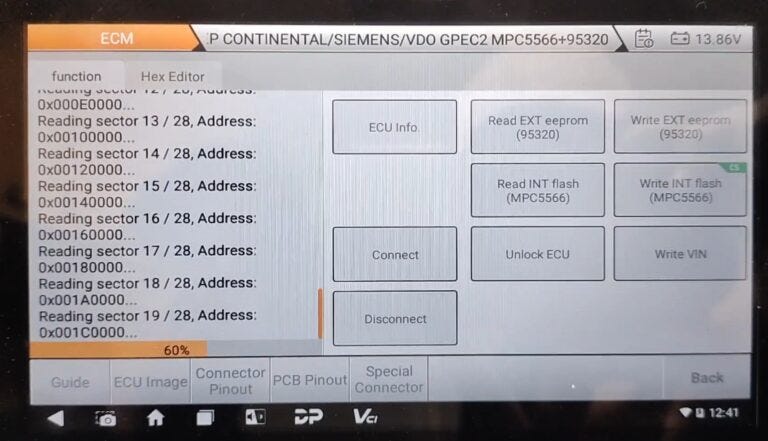
We proceed with reading the internal flash. The tool works quickly and accurately — truly impressive.
Saving the Data
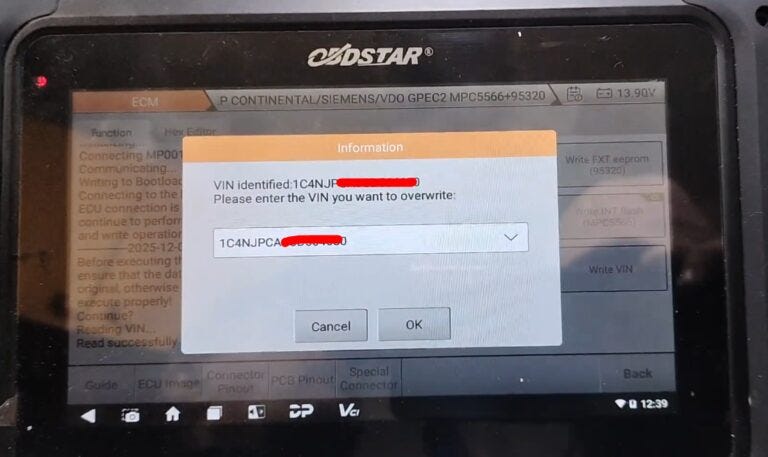
After reading, we save the data to a file. The tool will
ask you to save the dump — we do so, of course.


Switching for Cloning
Next, we switch the connection to
another module (the donor) for cloning.
We change the wiring accordingly and
prepare to write the data to the new module.
Important Notes:
Ensure correct resistor placement if needed.
Always save your reads before writing.
Use proper adapters and follow on-screen prompts carefully.
OBDSTAR DC706 ecu programmer is powerful and efficient, making complex procedures like GPEC2 cloning much more accessible.


Comments
Post a Comment